
Share Your Story!
We want to shine a spotlight on the great work you're doing, share your successes & highlight the benefits you've seen from working together.
How It Works
We conduct a 15 minute conversational interview with you on Zoom using your computer webcam. Your phone is placed next your monitor (tripod or stand) to record the video.
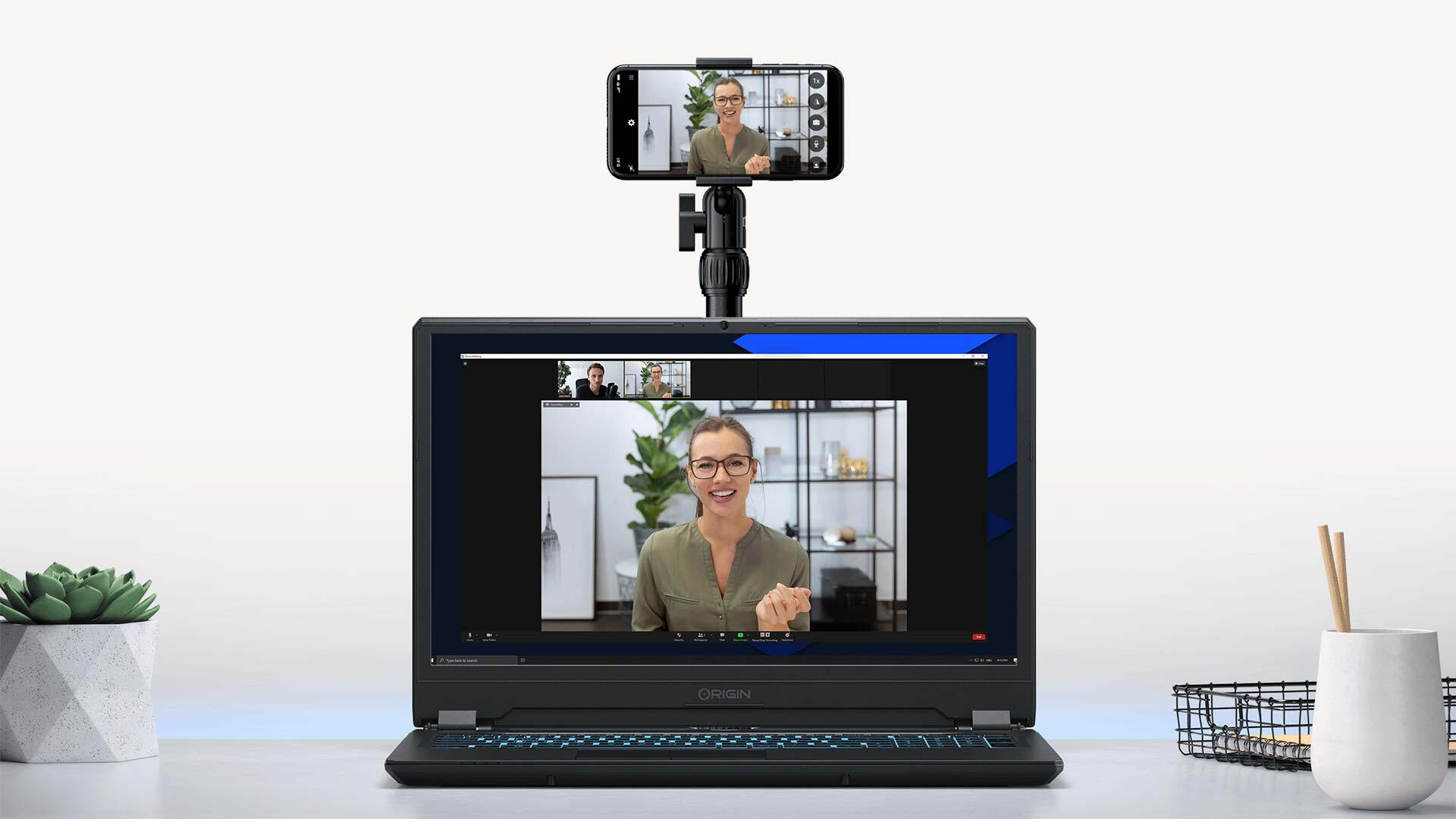
You Will Need
A computer webcam
A smartphone
A well lit and quiet room
Reliable internet connection
Provided For You (If Needed)
Ring light/phone tripod stand
If needed, we can send you a simple video kit that can be configured in less than 2 minutes and fits perfectly on any desk or table (equipment is yours after the interview).
Scroll Down To Start
1. Confirm Your Details
2. Schedule Your Interview
Select a day and time that best fits your availability. The video call interview is conducted by our video partner (VideoVouch.co) to help provide you with an open and objective experience.
3. Video Kit Instructions
Watch our video below with instructions on how to properly setup your video kit. If you need any help or assistance, please email VideoVouch at: [email protected] for personal support.
4. Phone Camera Settings
Camera Tips
Make sure your camera lens is clean of any smudges or dirt
Disable calls and notifications (set to: do not disturb)
Make sure video recording is set to (1080P/FHD at 30 fps)
Make sure you have plenty of hard drive space available (3+ GB)
Framing
Position yourself an arm's length from your phone
Ensure your phone is secured horizontally
Use the front-facing camera to record
Center yourself in the frame (looking straight at the camera)
Camera should be placed at eye-level
Your head should be near the top with some room to spare
5. Video Tips & Preparation
Lighting
Use a room with plenty of natural light (indirect sunlight)
Supplement natural light with ring light and lamps
Give yourself a few feet of space from any walls
Avoid harsh shadows or direct sunrays
Avoid bright overhead lights
DO NOT sit with a bright window behind you
Background
Minimize any noise or distractions (fans, AC units, kids, pets, etc.)
Record in room that is clean, tidy, and uncluttered
Avoid very large or very small confined spaces
Clothing
Simple solid (warm) colored clothing is best
Wear clothing that is comfortable
Jewelry is fine, but keep to a minimum
Avoid clothing with patterns, stripes, and plaid
Avoid all white or all black clothing
No hats or anything that obstructs your face
6. Interview Questions
We have a few questions that we'll ask you on the call to learn more about you and your story.
If applicable, please gather any before and after measured results from working together (numbers, stats, etc.) This helps us to better highlight your achievements.
Question Format
Introduction: Tell us a bit about you, your business, and what you do.
Before: The problem or challenge you had before working together.
Journey: Your process in finding a solution and your decision process.
During: Your experience working together and how that relationship progressed.
After: The results and impact you've seen from after working together.
7. Joining Zoom Video Call
We'll send you a link to join the Zoom meeting. Make sure to join the call with both audio and video enabled. Please make sure to remove any virtual backgrounds before joining.
8. Interview Process
Once on the Zoom call, we'll help to make sure your phone camera is properly setup for recording. After the interview, we'll send you a link to upload the video file from your phone.
The whole process should take less than 30 minutes
Submit Interview form and schedule your video call
Setup phone and Video Kit prior to call
Join Zoom video call (laptop/desktop)
Pre-interview check
Conversational interview (15 minutes)
Upload your video (phone recording) after interview
Help & Support
For questions or help, please email VideoVouch at: [email protected]
© Reshoot, LLC. All rights reserved.